 There are so many themes out there for you to choose from but just making up your mind can consume an inordinate amount of time. The majority of them look really appealing but there are some issues to watch out for when deciding on the best free WordPress blog themes for your particular needs.
There are free WordPress themes (but free doesn’t always mean free) and there are premium WordPress themes (payment required).
I have used both types and definitely have a couple of recommendations that I can pass onto you. [Read more…]
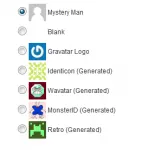 By default, WordPress offers a few avatars for you to choose from. When you fist start your site, you will see the usual Mystery Man avatar selected as your default.
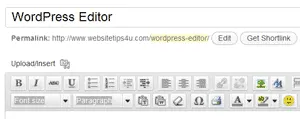 You will eventually learn your way around the WordPress editor. However, it can save you a lot of time if someone points you in the right direction to start off with. Plus you might otherwise end up missing some nifty tools, in your rush to publish your next post.